Shipments and Dispatch
Review packages, tracking and shipment lifecycle
Shipments and Dispatch
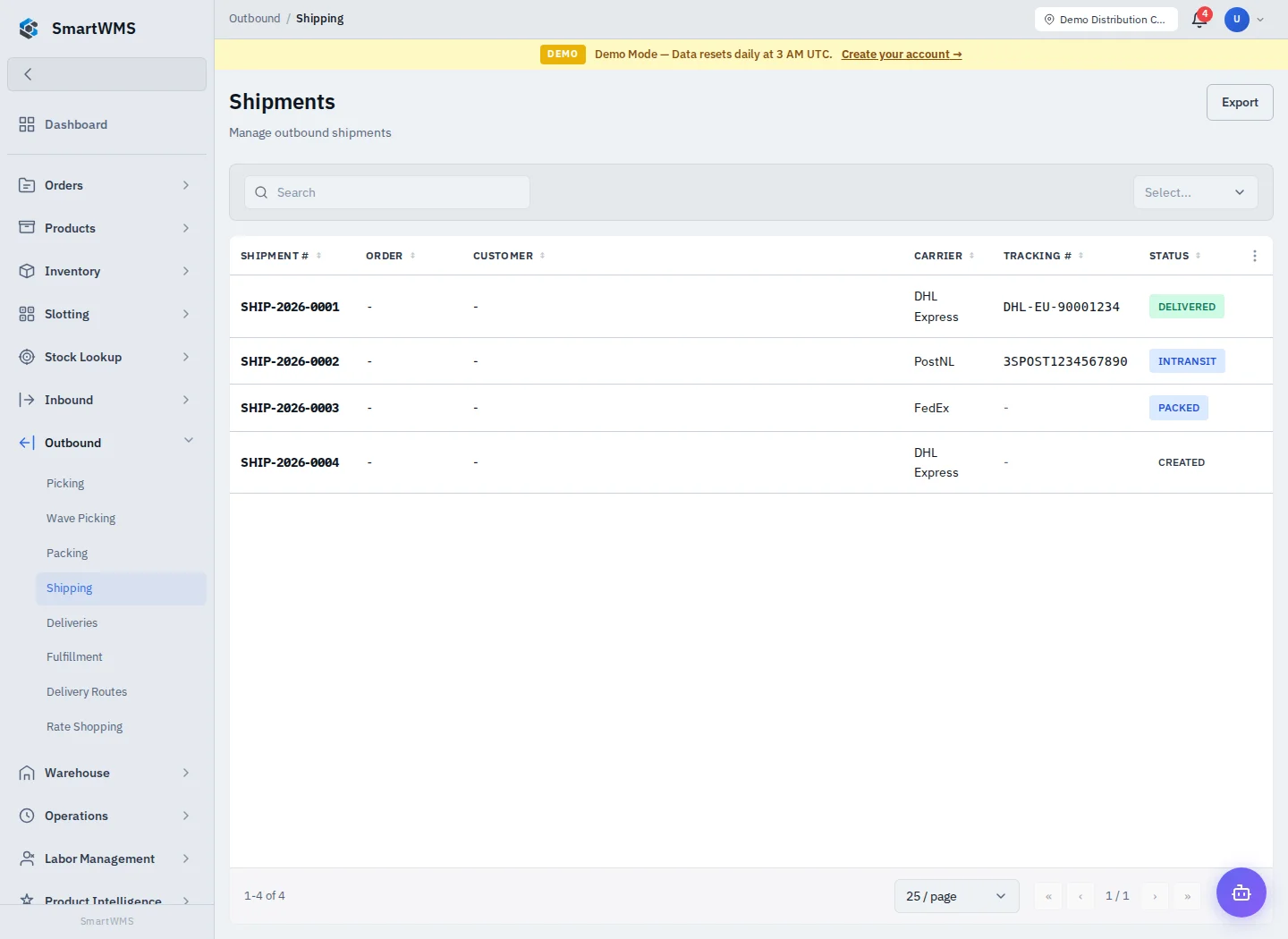
Open Outbound → Shipping and select the shipment linked to the intended order. Check order, warehouse, destination, package count, weight, carrier and service.
Dispatch
- Verify picking and packing, including the order's permitted status progression.
- Review the linked shipment and use Mark Packed if it is still Created and the action is offered.
- Enter tracking information or use an explicitly configured carrier action.
- Use Ship only when the goods are physically ready for dispatch.
- Verify the shipment is InTransit and the related order is Shipped.
- Record Delivered only after delivery is confirmed.
In the verified deployment, completing a packing task can leave the sales order Allocated and shipment Created. Review the order, advance through the valid Picked → Packed steps after verifying quantities, and mark the shipment packed before shipping. See Sales-order transitions.
Shipping must not be used to bypass missing pick or pack work. A tracking number does not prove a carrier accepted the parcel. Creating or updating a shipment record does not itself purchase a label.
Check existing records before retrying after a network interruption. Use Carrier Integrations for external carrier setup and Deliveries for follow-up.