Storage Tariffs
Define effective storage pricing records
Storage Tariffs
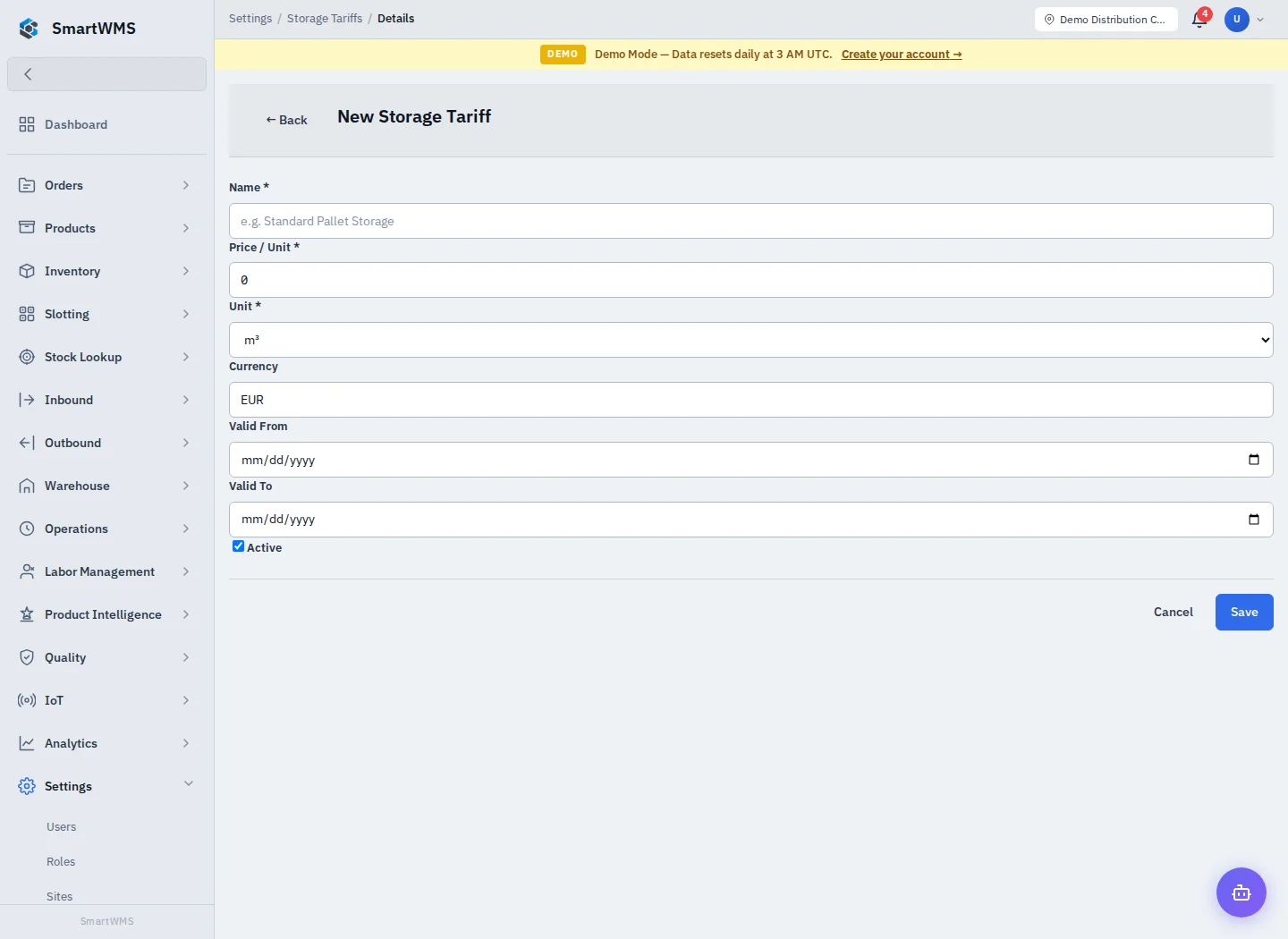
Open Settings → Storage Tariffs and choose New Storage Tariff.
- Enter Name and Price / Unit.
- Select the applicable unit: cubic metre (m³), Pallet or square metre (m²).
- Set Currency and the Valid From / Valid To dates as needed.
- Set Active, save and review the tariff record.
Make the unit and effective period unambiguous. A price per pallet cannot be compared directly to a price per cubic metre without the correct measured basis. Check overlapping validity periods before activating another tariff.
The tariff is configuration; creating it is not proof that an invoice has been issued, accepted or delivered. Billing/invoice generation depends on the linked storage measurements and the configured invoicing workflow. Review the resulting billing record and external connection where applicable.
The current UI also links native Invocore setup from Integrations; it needs its own valid connection. Do not enter real billing credentials while merely testing a tariff form.