Upload and Preview EDI
Parse an EDI document and review processing effects
1 min read
Updated 21 October 2026
Upload and Preview EDI
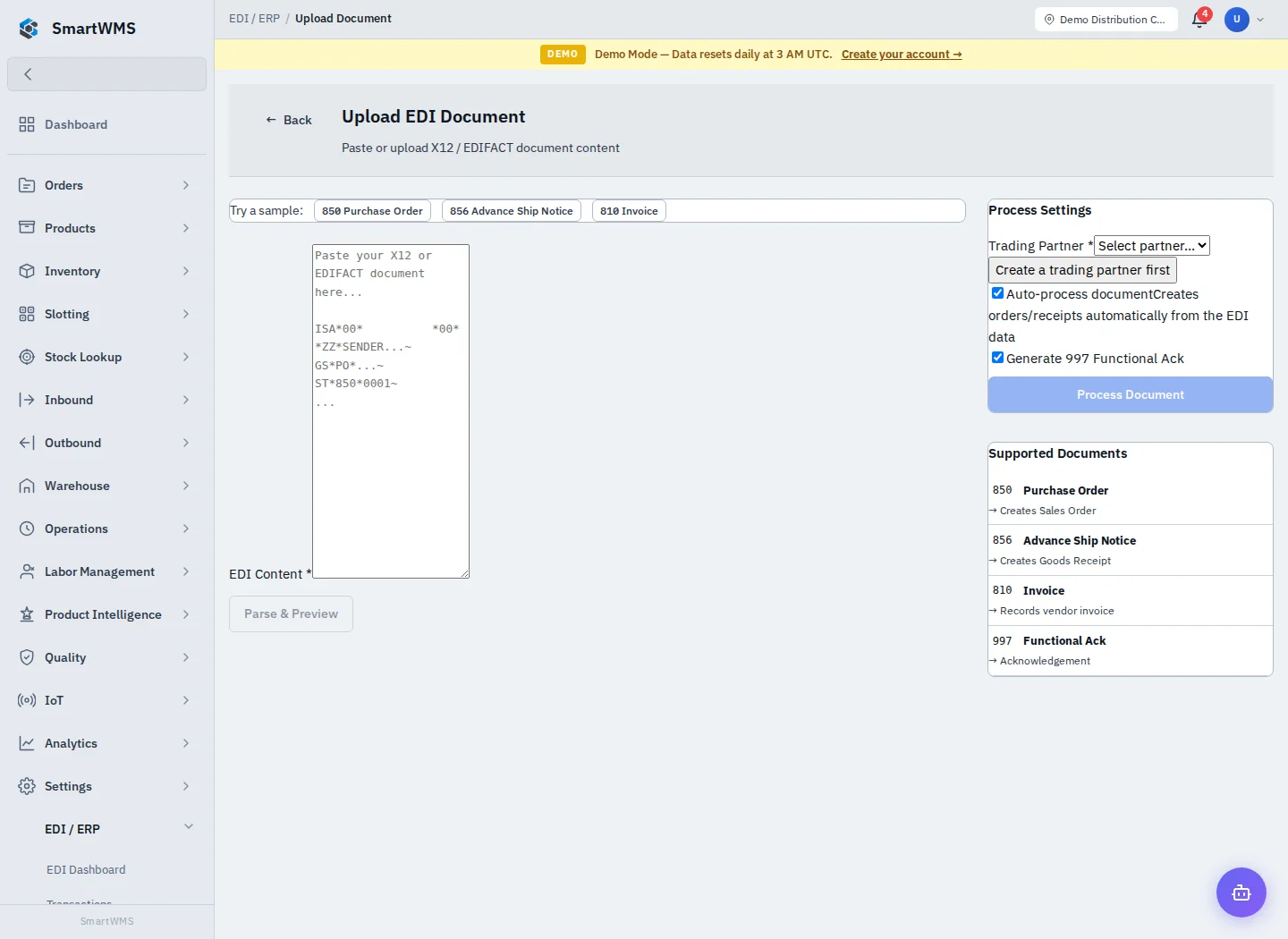
Open EDI / ERP → Upload Document. Paste or load the X12/EDIFACT content offered by the screen. Built-in sample buttons are available for 850, 856 and 810 examples.
- Enter EDI Content and choose Parse & Preview.
- Review the detected document/envelope and validation result.
- Select the required Trading Partner. Create it first if the list is empty.
- Choose whether to Auto-process and whether to generate a 997 acknowledgement.
- Use Process Document only after confirming the partner, document type and expected effect.
- Open the resulting transaction and any linked order/receipt/invoice.
The screen describes 850 as creating a sales order, 856 as creating a goods receipt, 810 as recording a vendor invoice and 997 as an acknowledgement. These are different business effects. A successful parse is not the same as a successful business-record import.
If mapping or validation fails, correct the underlying identifiers/product data and inspect the transaction before retrying. Do not treat every EDIFACT/X12 variant as supported merely because the standard is selectable.