Trading Partners
Configure EDI envelope identifiers and exchange direction
1 min read
Updated 21 October 2026
Trading Partners
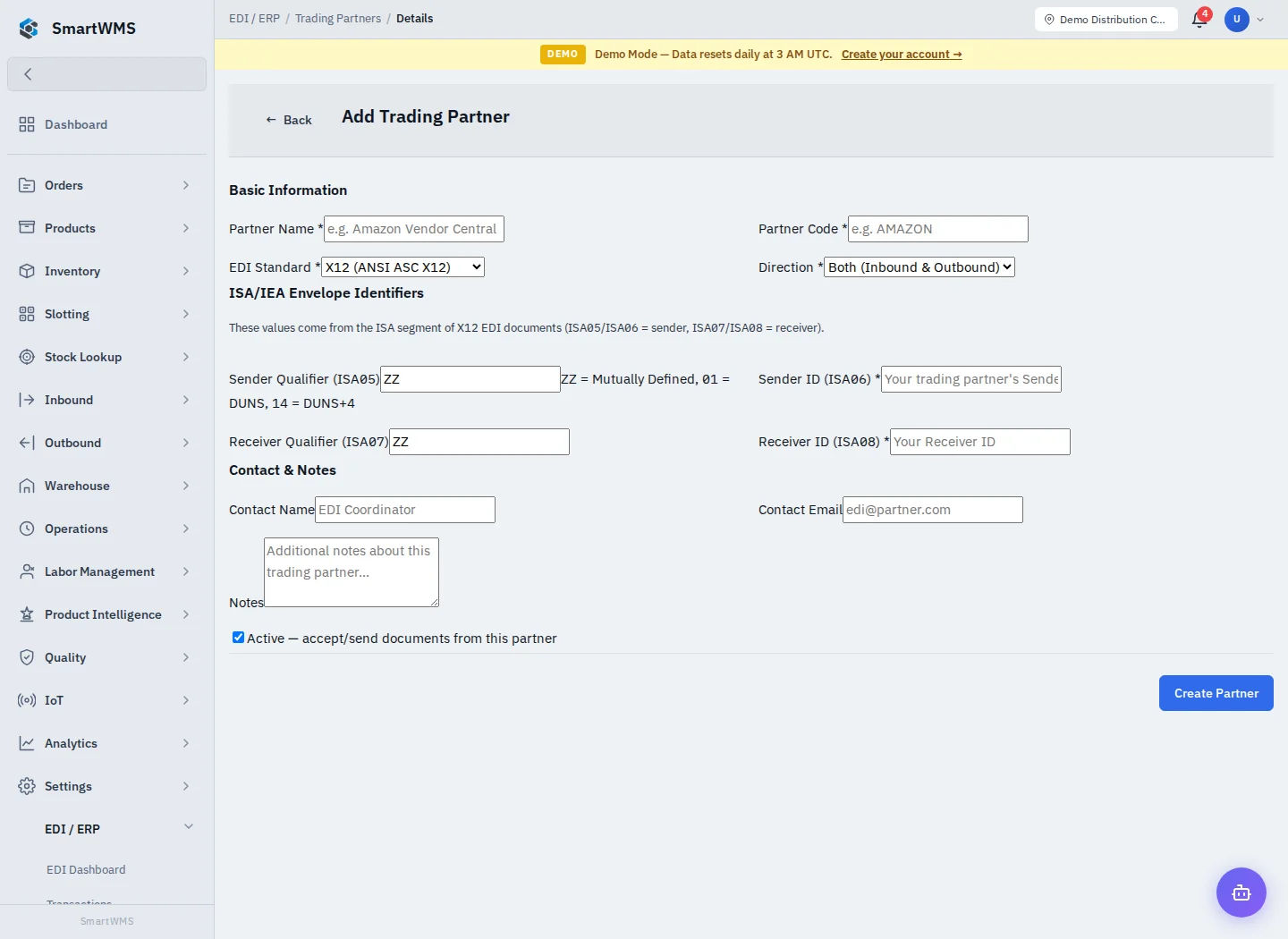
Open EDI / ERP → Trading Partners and choose Add Trading Partner.
- Enter Partner Name and Partner Code.
- Select EDI Standard (X12 or EDIFACT) and Direction (Both, Inbound only or Outbound only).
- Complete sender/receiver qualifiers and the required Sender ID and Receiver ID.
- Add contact information/notes and choose Active.
- Save and test with a matching document envelope before processing routine exchanges.
For X12, the labels reference ISA05/ISA06 (sender) and ISA07/ISA08 (receiver). Obtain the actual agreed values from the trading partner. An incorrect identifier can prevent matching even when the business contents look correct.
Editing a partner does not transmit a document. Confirm standard, direction, identifiers and active state whenever a document fails to match. Retain transaction history when changing or deactivating a partner.