Task Queue
Filter, assign and open warehouse work
1 min read
Updated 21 October 2026
Task Queue
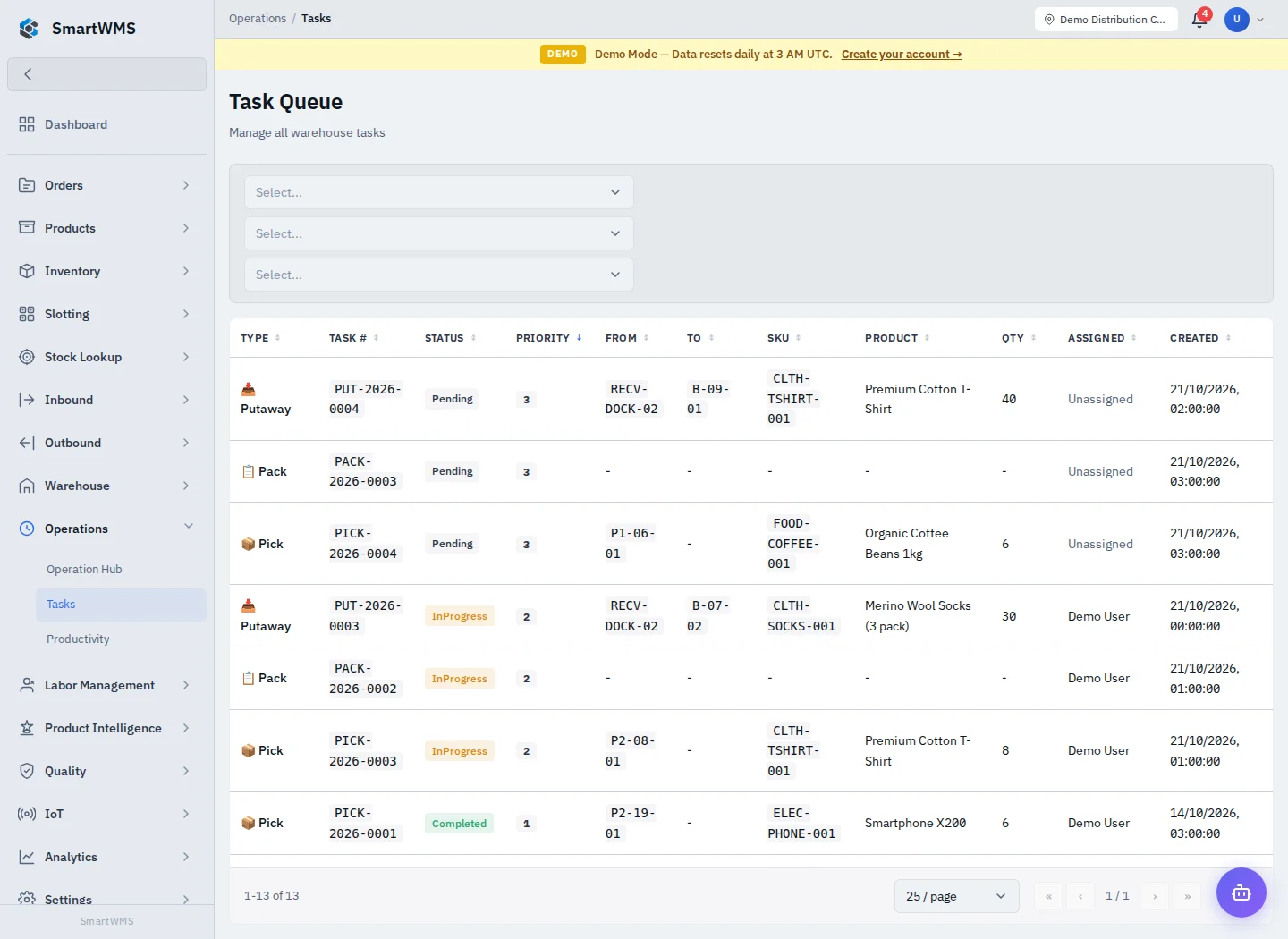
Open Operations → Tasks. The combined queue displays task type, number, status, priority, source/destination, SKU, quantity, assignee and creation time.
- Filter for the relevant warehouse, task type/status and other available criteria.
- Review the assignee and priority before opening work.
- Open the task in its dedicated execution screen.
- Assign it to an eligible operator when required, then start and execute it there.
- Refresh/review the queue after completion or reassignment.
The queue combines different task types. Their statuses are not interchangeable: a pick can show Completed while a putaway/packing task shows Complete. Starting a Pending task can be rejected until it is Assigned.
A row is not a generic stock-edit form. Use the underlying task to preserve its document and tracking links. Check Picking, Putaway, Packing and Cycle Counts.