Reason Codes
Standardize reasons and required notes for warehouse changes
1 min read
Updated 21 October 2026
Reason Codes
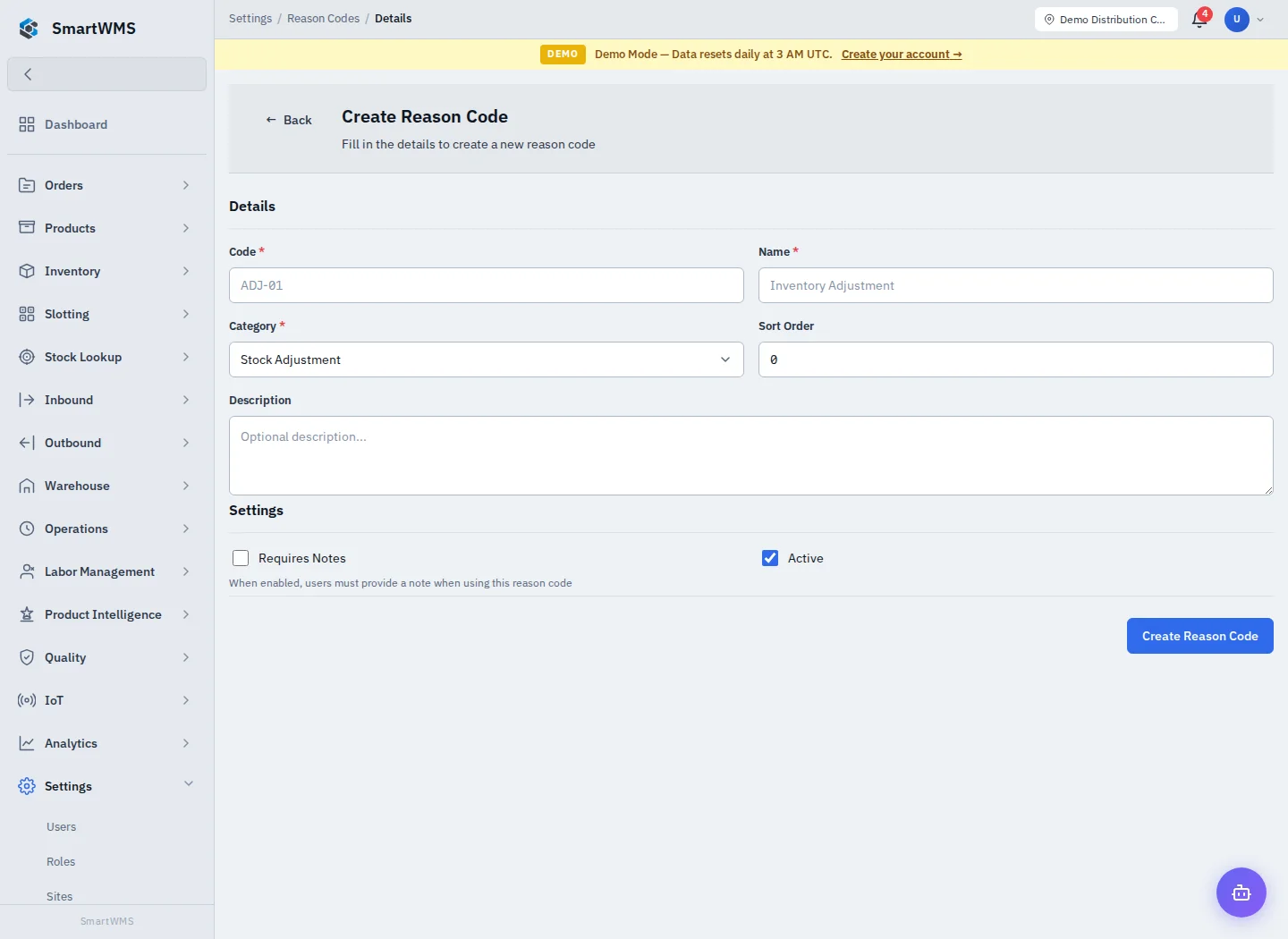
Open Settings → Reason Codes and choose Create Reason Code.
- Enter Code and Name.
- Select the appropriate Category, such as Stock Adjustment.
- Set Sort Order and Description if needed.
- Enable Requires Notes when an operator must explain use of that code.
- Leave Active enabled, save and check that the code appears in the relevant operation.
A reason category determines where the code applies. A code for another operation is not a substitute when a required reason is missing. Use clear names that explain the business cause rather than a generic “other”.
Review existing records before changing or deactivating a code. Historical adjustments/transfers should retain a meaningful explanation. Selecting a reason does not approve a correction or bypass quantity/status validation.