Returns and RMAs
Authorize, receive, inspect and dispose of returned goods
Returns and RMAs
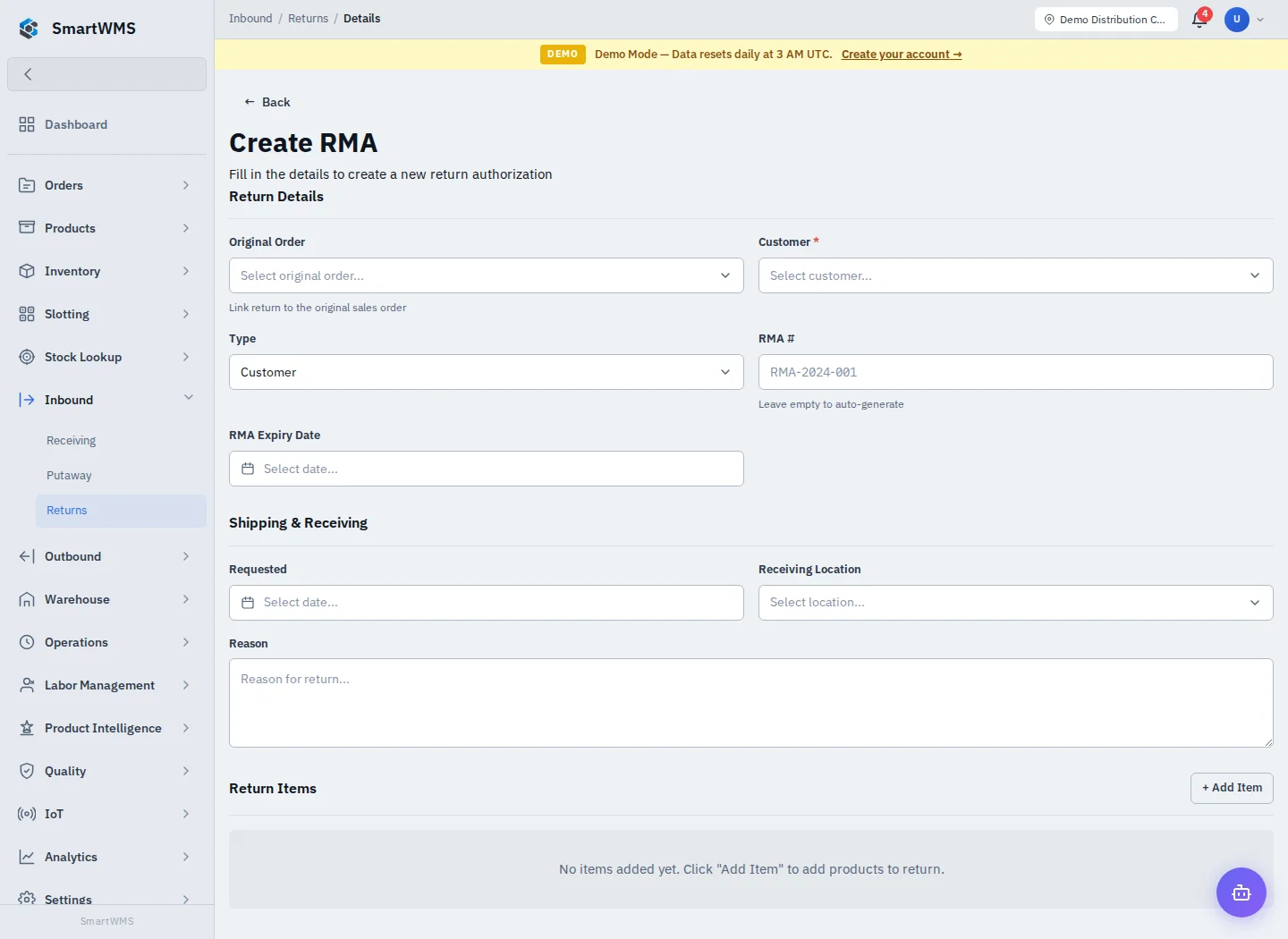
Open Inbound → Returns and choose Create RMA. An RMA authorizes a return; goods become returned inventory only through the actual receiving/disposition actions.
Create the return
- Link Original Order where available and choose the Customer.
- Select the return Type and enter RMA number or leave it empty for generation.
- Set expiry/requested dates, Receiving Location and Reason as needed.
- Use Add Item for each product and return quantity; preserve batch/serial identity.
- Save and follow the authorization/receiving actions shown on the detail page.
Receive and inspect
Record actual received quantities and item conditions. Inspect damaged/defective goods and review any automatically linked QC inspection before choosing a disposition. Check the linked inspection/hold; creating the RMA alone is not a passed inspection or a restock.
Follow the available disposition actions to restock acceptable goods, reject/scrap or return them to the supplier. Verify the destination and resulting stock rather than assuming every return goes back to available storage.
If the original order or SKU cannot be found, confirm the customer/company context before entering another return. See QC Inspections and QC Holds.