Operation Hub
Start a work session and find the next warehouse task
1 min read
Updated 21 October 2026
Operation Hub
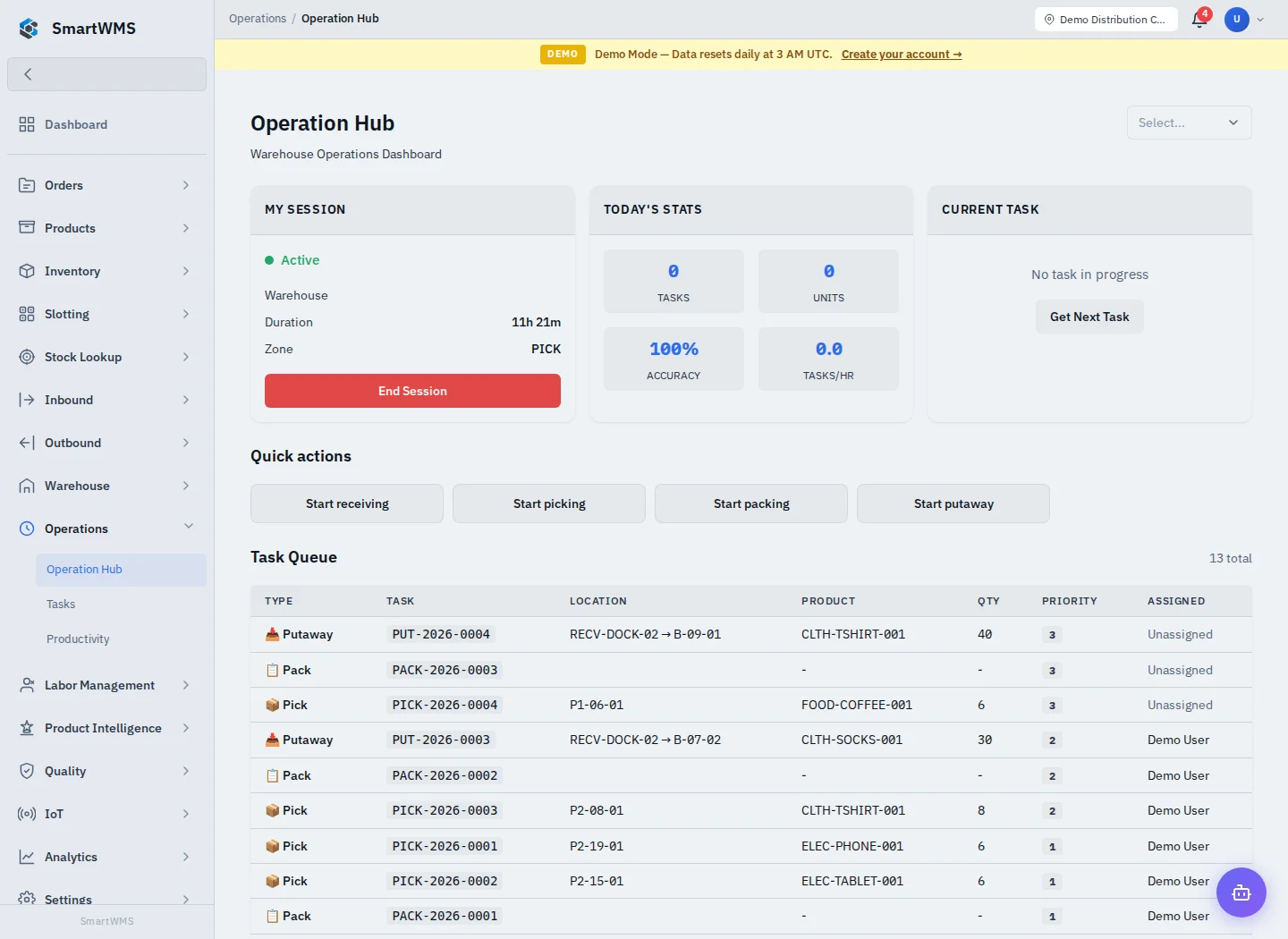
Open Operations → Operation Hub. Check the warehouse selector, My Session, today's statistics, current task and queue.
- Choose the intended warehouse and start a session using the offered controls if none is active.
- Check the session's warehouse, zone and duration.
- Use Get Next Task to request eligible work or open an appropriate task from the queue.
- Follow that task's receiving/picking/packing/putaway screen and record the actual work.
- Return to the hub to review the current task and request the next one.
- Use End Session when the shift/session is finished.
Quick actions open the corresponding operational workflow. They do not create received/picked quantities merely by being clicked. If no task is offered, check warehouse, assignment, status, permissions and app profile.
Session statistics reflect recorded tasks and units, not all physical work. Resolve a task's uncertain outcome before taking another one after a connection failure. See Task Queue.