Purchase Orders
Prepare supplier orders and receive their goods
Purchase Orders
Open Orders → Purchase Orders. The inbound purchase-order view is another entry point for supplier-order work.
Prepare a purchase
- Create or select a supplier under Orders → Suppliers.
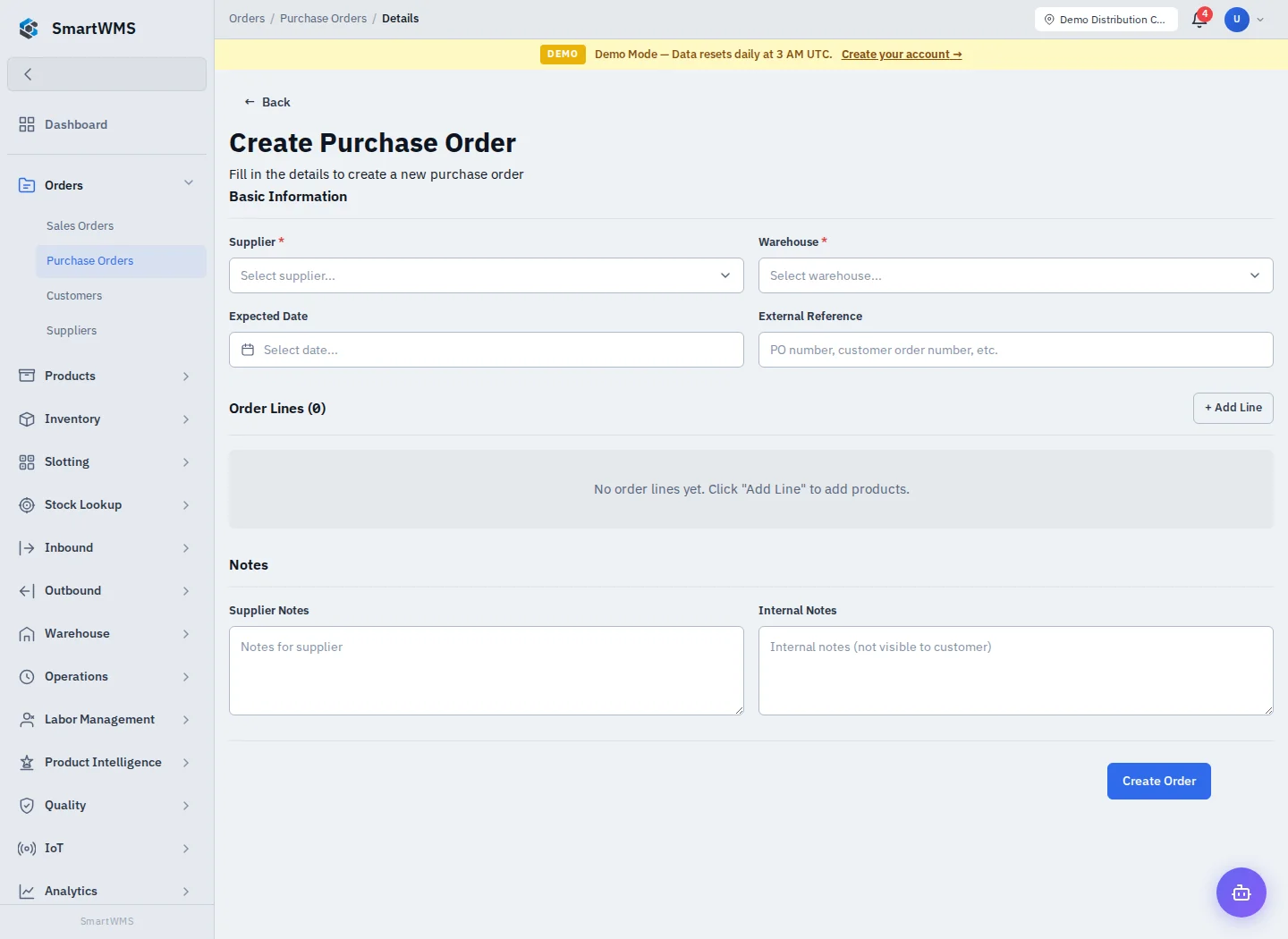
- Choose Create Purchase Order, select Supplier and Warehouse and set Expected Date if known.
- Use Add Line for each product and expected quantity. Complete External Reference, Supplier Notes and Internal Notes as appropriate.
- Save and review the order details before using its confirmation/submission actions.
- Use the receiving action/related receipt workflow to receive physical goods against the correct order lines.
The product and supplier are separate records. An expected quantity on a purchase order is not stock on hand. Record actual received quantities in Receiving, preserving the purchase-order link and any batch/serial/expiry information.
Follow up
Compare ordered, received and outstanding quantities. Partial deliveries should preserve the remaining expected quantity rather than creating unrelated duplicate orders. Check order status before editing or cancelling, and follow validation if receipts already exist.
Wrong warehouse or supplier selection should be corrected before operational processing. Use External Reference for the supplier's document identifier; do not assume it replaces the internal order number.