Carrier Register
Maintain carrier records used by shipments
1 min read
Updated 21 October 2026
Carrier Register
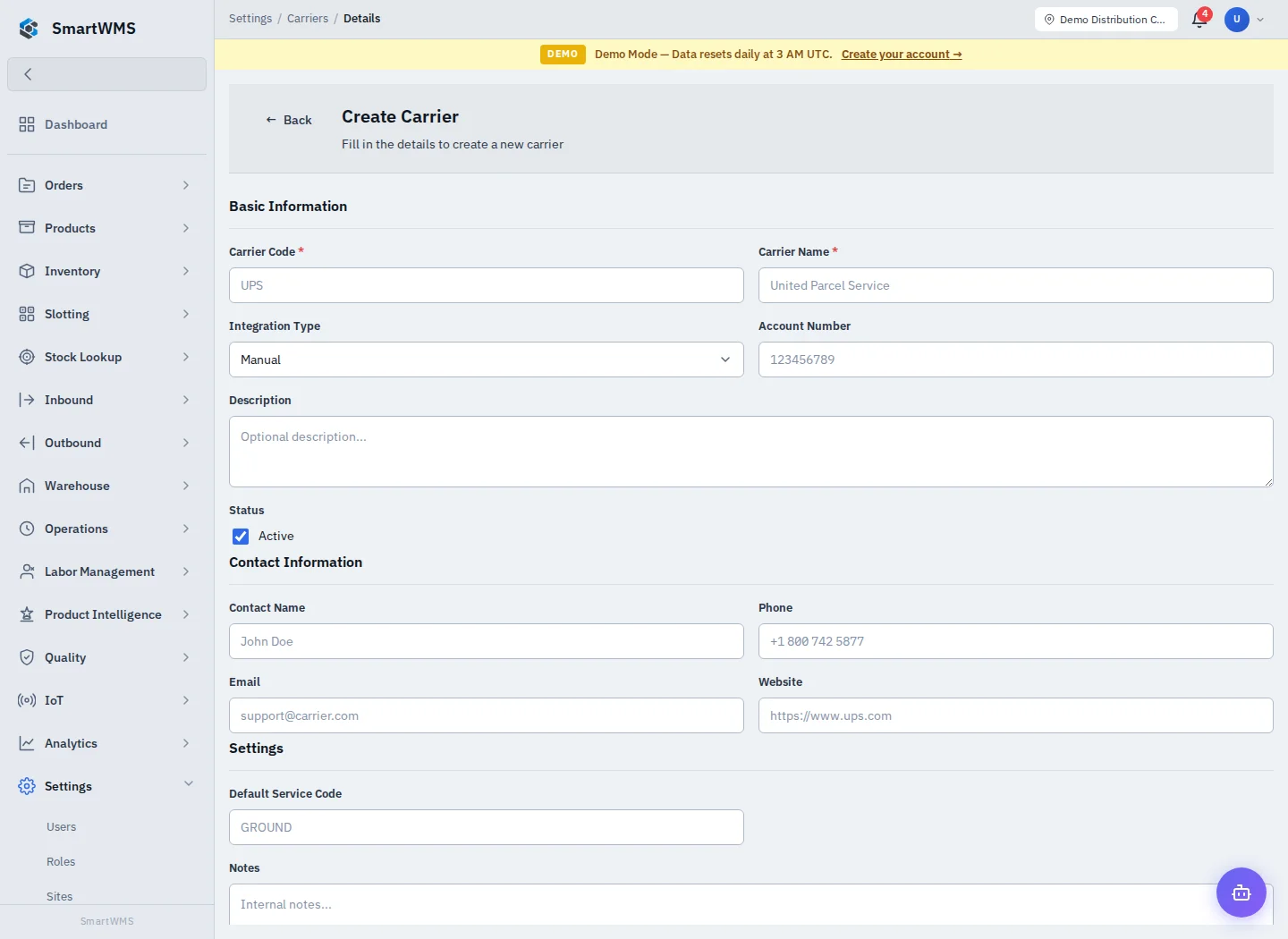
Open Settings → Carriers and use Create Carrier.
- Enter required Carrier Code and Carrier Name.
- Choose Integration Type; Manual denotes a reference/manual workflow.
- Enter Account Number, description and active status as appropriate.
- Add contact name, phone, email and website if needed.
- Set Default Service Code and notes, save and reopen the record.
Check the carrier selected on each actual shipment. A carrier register entry is not proof that an external API connection, service or label purchase is available. Configure those under Carrier Integrations and test the provider separately.
Update reference data through the detail form. Before deactivation/deletion, review dependent shipments and use the permitted action; keep historical documents intact.