IoT Alert Rules
Set device/sensor conditions, cooldown and notification choices
1 min read
Updated 21 October 2026
IoT Alert Rules
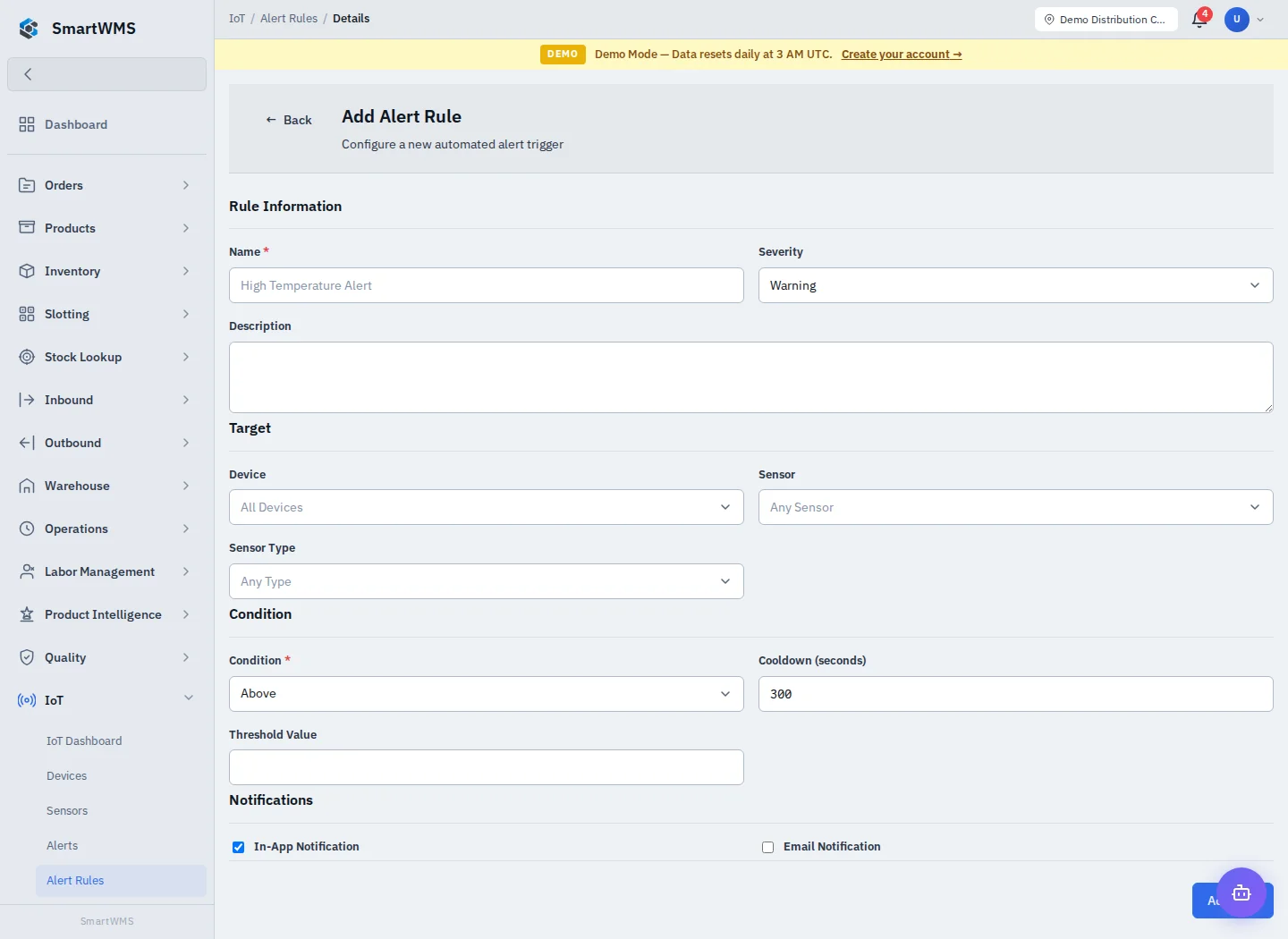
Open IoT → Alert Rules and choose Add Alert Rule.
- Enter Name, Severity and Description.
- Select Device, Sensor and/or Sensor Type to define the target scope.
- Choose Condition and Threshold Value using the actual measurement unit.
- Set Cooldown in seconds to control repeated alerts.
- Choose the offered In-App/Email notification settings and save.
- Test the intended condition with a controlled reading and check both alert and delivery result.
Leaving a target broad can apply the rule to multiple devices/sensors. Confirm this deliberately. A cooldown reduces repeated alert generation; it is not a heartbeat interval and does not repair connectivity.
Email selection does not guarantee SMTP/inbox delivery. Check the configured notification workflow and valid recipients. Acknowledge/resolve generated incidents under IoT Alerts, then confirm fresh readings separately.