Suppliers
Maintain suppliers and their order contact details
Suppliers
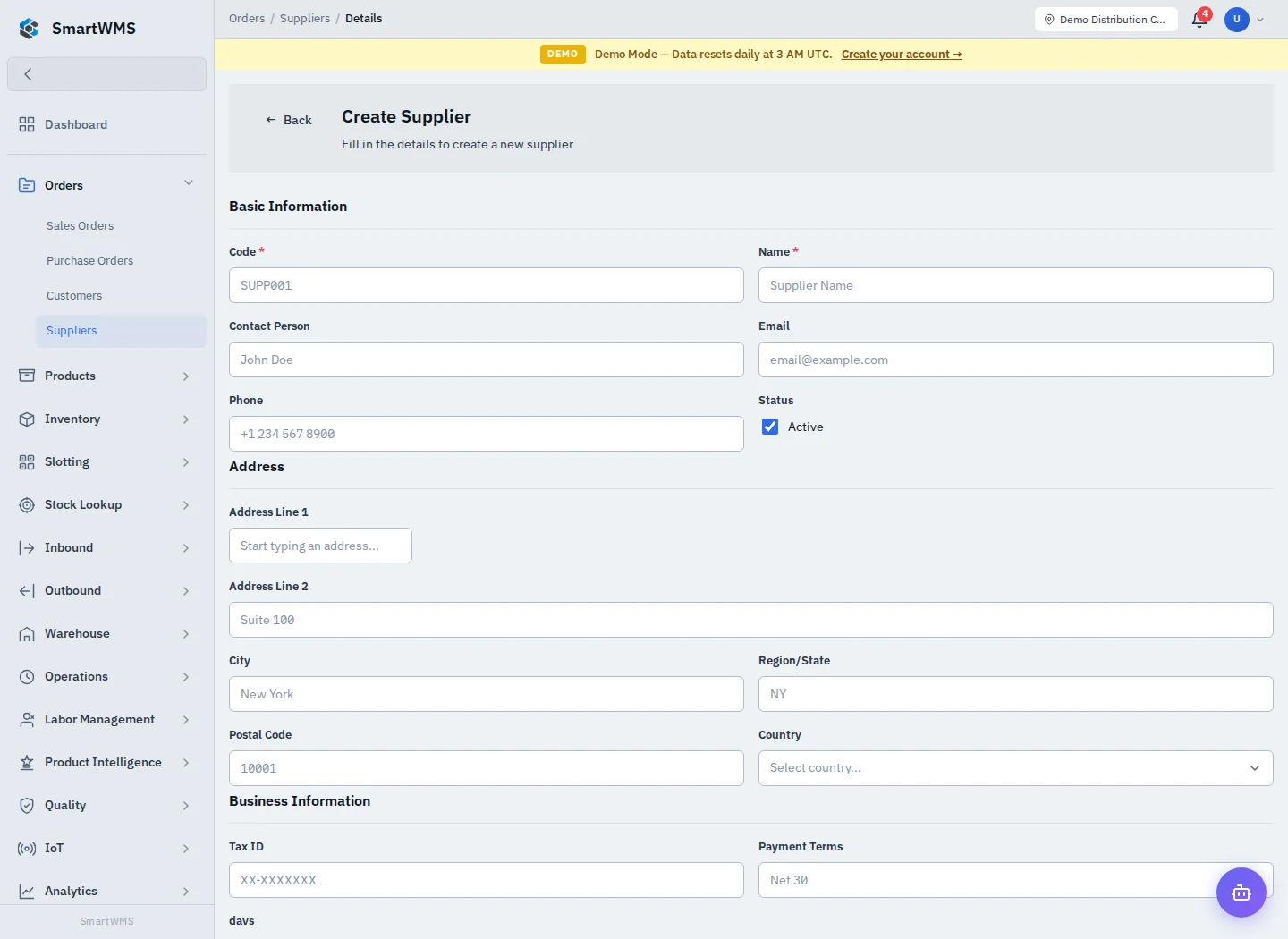
Open Orders → Suppliers. A customer is used by sales/returns; a supplier is used by purchases/receipts. Choose the matching register.
Create or update
- Choose the add action and enter Code and Name.
- Add Contact Name, Email and Phone if needed.
- Complete address fields: Address Line 1/2, City, Region, Postal Code and Country.
- Enter supported business fields such as Tax ID and Payment Terms when appropriate.
- Leave Active enabled for a usable contact, save and reopen the record.
Use the same register record for repeat business instead of creating near-duplicates. Search by code or name before adding a new entry. Contact addresses are defaults; verify the destination on the actual order before shipping.
Maintenance and limits
Open a saved record to edit the available details or change its active state. A record referenced by operational documents may not be removable; follow the validation and retain the history. Deactivation is different from deleting earlier orders or receipts.
Only enter data needed for business operations and restrict access through Roles. Creating a contact does not send an email or automatically create an external CRM record; those actions need an explicitly configured integration.